How to Get Powerwall Sizing Right for Your Home
How to Get Powerwall Sizing Right for Your Home
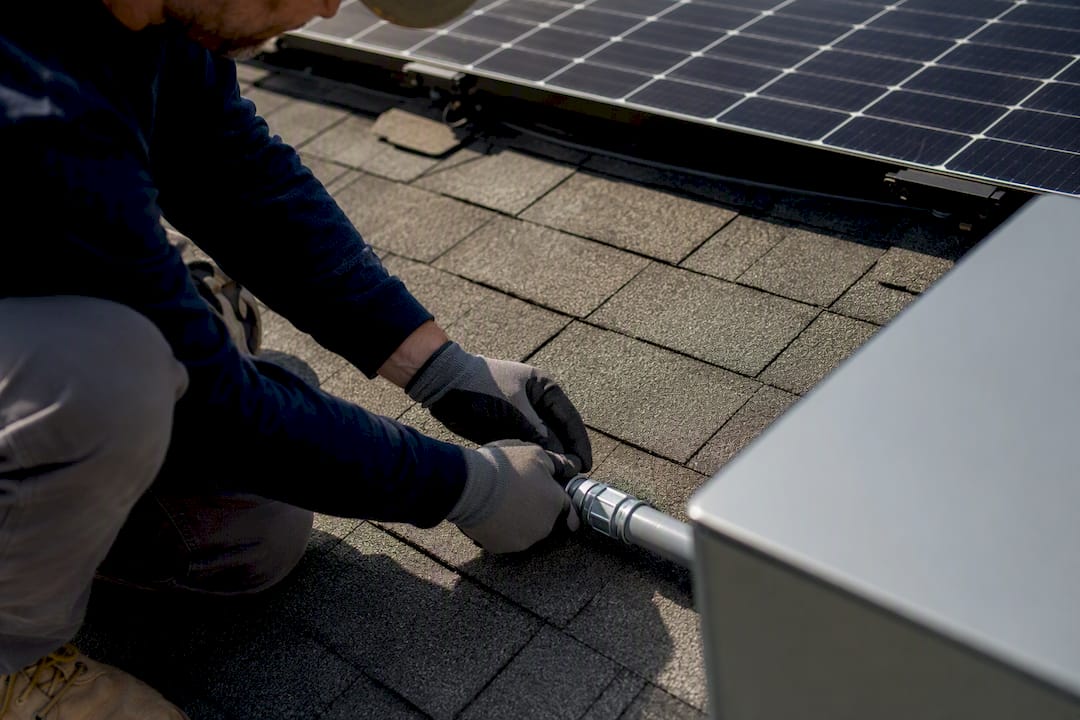
For most homes, 1 to 3 Tesla Powerwall 3 units cover common backup goals: one unit for essential overnight backup with solar recharge, two to three for whole-home coverage through a full day. The formula is simple: multiply your daily kWh usage by the number of backup days you want, then divide by 13.5. Round up. Watch out, though: your power draw (kW) can force you into more units than the energy math alone suggests.
TL;DR:
- Most homes need one to three Powerwall 3 units depending on their backup goals, with energy calculations based on daily kWh usage and desired backup duration.
- Powerwall 3 delivers 13.5 kWh of usable energy and up to 11.5 kW of continuous power; adding units increases capacity but not surge capability.
- Proper sizing requires comparing average daily kWh to backup goals, then confirming the home’s peak power draw stays below the system’s continuous power rating.
- Oversized solar arrays without matching charge capacity can cause clipping, wasting energy during peak sun hours, especially if the inverter and batteries are not correctly matched.
- Field conditions like shading, panel orientation, and existing electrical capacity can alter recommended unit counts during actual installations.
Table of Contents
- What Determines the Right Powerwall Sizing for Your Home?
- What Are the Powerwall 3 Specs That Actually Drive Sizing?
- How Do You Calculate the Number of Powerwalls You Need?
- How Does Solar Pairing Affect Battery Sizing and Clipping?
- Should You Prioritize Essential Circuits or Whole-Home Backup?
- What Do Installers Actually See in the Field?
- What Should You Ask Before Committing to a Battery Count?
- Ready to Get Your Home’s Battery Sizing Right?
- Sources
What Determines the Right Powerwall Sizing for Your Home?
Two numbers matter, and they’re not the same thing. Energy, measured in kilowatt-hours (kWh), determines how long your battery can run your home. Power, measured in kilowatts (kW), determines what can run at the same time. Miss this distinction and you’ll either overspend on capacity you don’t need or underspend on the surge capability that actually keeps your lights on.
Start with your electric bill. Look at your last 12 months and find your average daily kWh, since usage swings seasonally with air conditioning and heating loads. The EIA’s household electricity data gives you a sanity check. If your bill shows something wildly different from regional averages, look for an anomaly (a pool pump, an EV charger) before you size around it.
Then decide your outage scenario:
- One night, essentials only: fridge, Wi-Fi, some lighting, maybe a well pump
- One full day, whole home: everything including HVAC
- Multi-day resilience: rare outages beyond 24 hours, usually rural or wildfire-prone areas
Pro Tip: Cutting your must-run list down to true essentials (fridge, router, a few circuits) can shrink your required battery count by half or more compared to backing up the whole panel.
What Are the Powerwall 3 Specs That Actually Drive Sizing?
Every Powerwall sizing calculation starts with the same three numbers. A single Powerwall 3 delivers 13.5 kWh of usable energy and up to 11.5 kW of continuous AC power, depending on configuration. That’s your baseline unit.
From there:
- Stacking: up to 4 Leader Powerwall 3 units in a single system
- Expansion units: add kWh capacity but do not raise continuous power output
- Solar input: 20 kW DC maximum per system
- Boosting: 5 kW standard, 8 kW with an Expansion unit attached, letting the battery pull DC solar directly and reduce inverter clipping
On installation, the Tesla Powerwall 3 manual specifies mounting clearance, breaker sizing, and wiring practices your installer needs to follow exactly. One number worth remembering: 13.5 kWh usable per unit is the figure every other calculation in this article builds from.
How Do You Calculate the Number of Powerwalls You Need?
Here’s the repeatable method:
- Find your average daily kWh from 12 months of bills.
- Decide your backup goal in days (0.5 for overnight, 1 for a full day, more for multi-day resilience).
- Multiply daily kWh by backup days.
- Divide by 13.5 (usable kWh per Powerwall 3).
- Round up to the nearest whole unit.
- Check continuous power: add up the simultaneous kW draw of everything you need running (HVAC startup, well pump, dryer) and confirm it’s under your total continuous kW rating across all Leader units.
That last step trips up more homeowners than the energy math does. You can have plenty of kWh stored and still trip a breaker because three appliances started at once and exceeded your kW ceiling.
Worked Example A: A home uses 30 kWh per day and wants essential-circuit backup overnight, with solar recharging the battery during the day. Calculation: 30 kWh × 0.5 days ÷ 13.5 = 1.1, rounds up to 1 Powerwall 3. Solar handles the recharge each morning, so one unit covers the essentials indefinitely as long as the sun shows up.
Worked Example B: The same 30 kWh/day home wants one full day of whole-home backup with no solar assist (say, during a multi-day outage with poor sun). Calculation: 30 kWh × 1 day ÷ 13.5 = 2.2, rounds up to 3 Powerwall 3 units once you add a standard reserve margin for battery inefficiency and depth-of-discharge buffer.
| Scenario | Daily kWh | Backup goal | Raw calculation | Units needed |
|---|---|---|---|---|
| Example A: essentials + solar | 30 kWh | Overnight (0.5 day) | 30 × 0.5 ÷ 13.5 = 1.1 | 1 unit |
| Example B: whole-home, no solar | 30 kWh | Full day (1 day) | 30 × 1 ÷ 13.5 = 2.2 | 3 units (with margin) |
Most installers add 10 to 20 percent on top of the raw math to account for round-trip efficiency losses and to avoid running the battery down to zero every single cycle. That margin isn’t padding. It’s the difference between a battery that lasts 10 years and one that’s stressed every outage.
How Does Solar Pairing Affect Battery Sizing and Clipping?
Pairing solar with a Powerwall 3 introduces a constraint most homeowners never see coming: your battery can only accept so much DC power at once, and an oversized array without matching charge capability just gets curtailed. The system supports 20 kW DC maximum solar input, and boosting lets it pull 5 kW directly to the battery (8 kW with an Expansion unit), which cuts down on clipping during peak sun hours.
Installer best practices that reduce clipping:
- Distribute PV strings evenly across available MPPTs
- Diversify panel azimuths (east/west split) instead of stacking everything south-facing
- Size your array to the battery’s actual charge-power ceiling, not just the inverter’s AC rating
An oversized array paired with an undersized charge path wastes generation at noon and doesn’t help you at 7 p.m. when you actually need the stored power.
Pro Tip: If your installer proposes a large solar array with only one Powerwall, ask specifically how they’re managing DC input limits. A mismatch here is one of the most common design errors we see corrected during a second opinion.
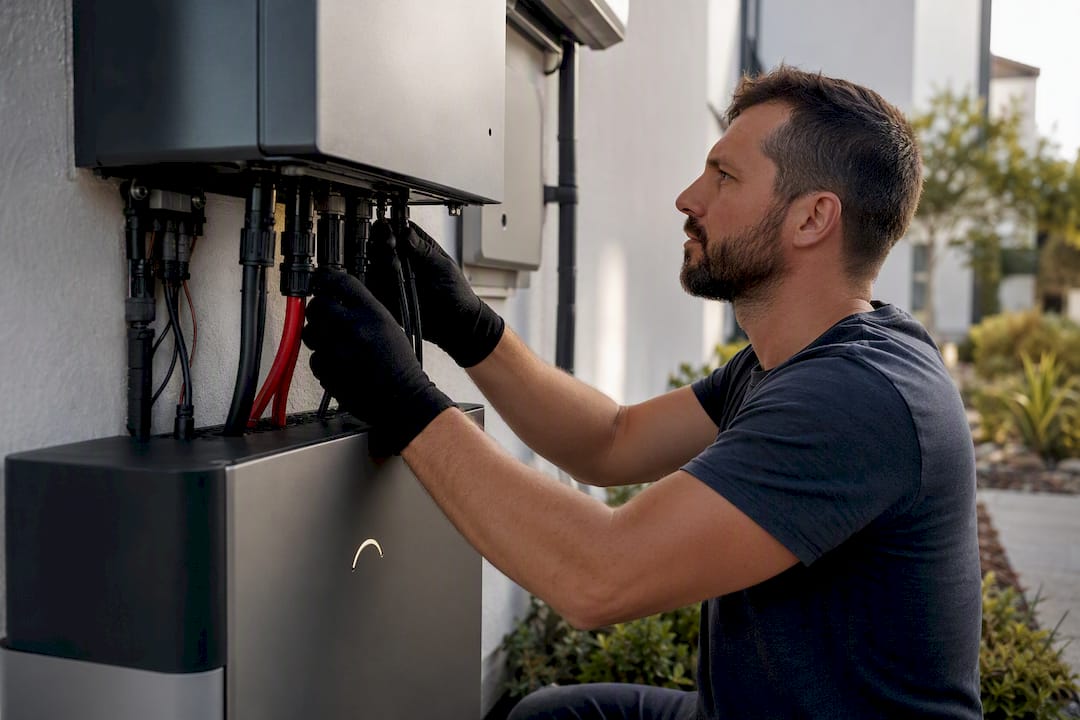
Should You Prioritize Essential Circuits or Whole-Home Backup?
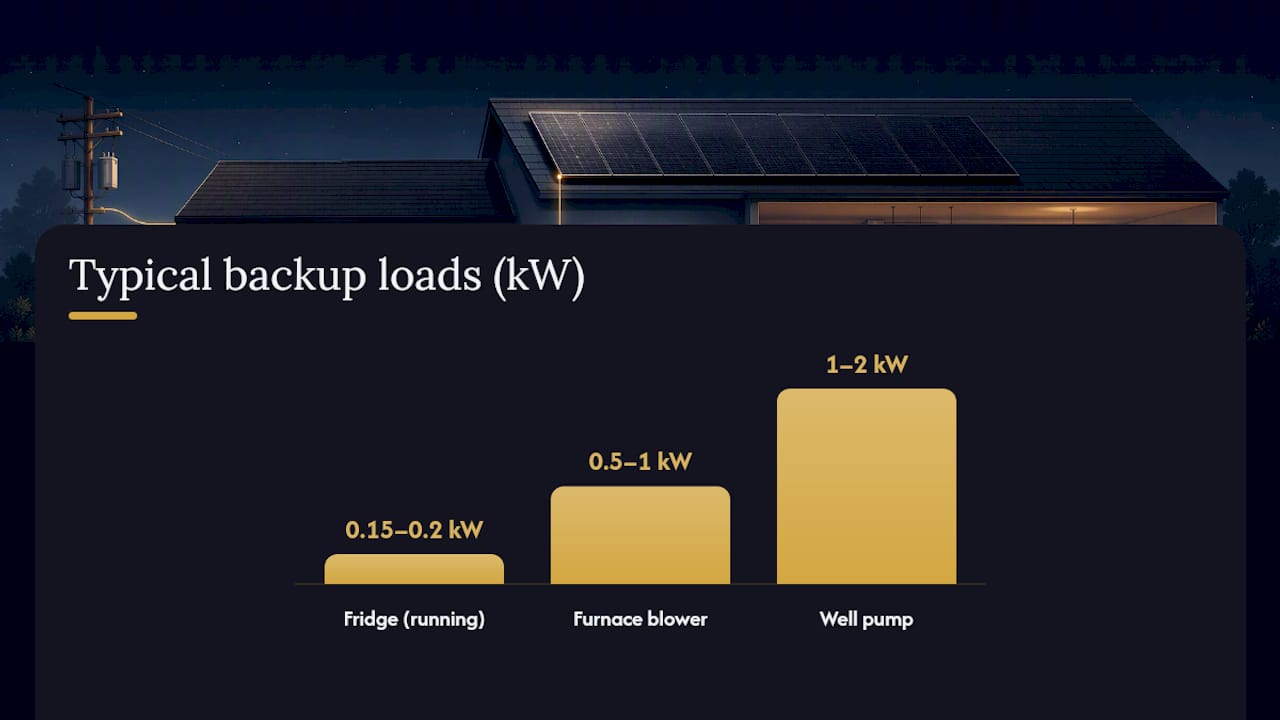
This decision drives your unit count more than any other single choice. Essential-circuit backup covers your fridge (roughly 0.15 to 0.2 kW running, higher on startup), well pump (1 to 2 kW), furnace blower (0.5 to 1 kW), and Wi-Fi and a few outlets. That’s a load profile most single Powerwall 3 units handle comfortably.
Whole-home backup adds HVAC compressors, electric dryers, ovens, and EV chargers, loads that spike well past what one unit’s continuous kW rating supports.
- Expansion units raise your kWh runtime but add zero continuous power capacity
- Additional Leader units raise both energy and continuous power
- Homes in the 1,000 to 3,000 square foot range typically need 1 to 2 Leaders for essentials, but central air conditioning or a heat pump often forces a third Leader purely for the power headroom, not the energy
A comparison of essential-loads versus whole-home backup lays out the tradeoffs in more detail if you’re still weighing which path fits your risk tolerance.
What Do Installers Actually See in the Field?
San Diego Solar has been designing battery systems in San Diego County since 1996, with in-house engineering on every project and zero subcontractors across three decades of installs. That matters for sizing specifically because paper calculations and field conditions don’t always match.
Common issues that change a recommended unit count once an engineer actually looks at your property:
- Roof shading from neighboring trees or structures cuts real-world solar production below nameplate estimates
- Panel azimuth (which direction your roof faces) affects how reliably your battery recharges after an overnight discharge
- Existing electrical panel capacity and breaker slot availability can require a subpanel before any battery gets installed
| What to bring to a sizing conversation | Why it matters |
|---|---|
| 12 months of electric bills | Establishes real daily kWh, not a guess |
| List of must-run appliances and loads | Defines your continuous kW requirement |
| Photos of your electrical panel | Reveals breaker space and wiring constraints upfront |
Bring these three things to your first consultation and you’ll skip a full round of follow-up questions before your installer can give you a real number.
What Should You Ask Before Committing to a Battery Count?
Before you sign anything, work through five questions: What do your bills actually show for daily kWh? What’s your real outage target, overnight or multi-day? Which loads absolutely must stay powered? What does your existing panel and solar array support? And what’s your budget ceiling?
San Diego Solar typically recommends Expansion units when a homeowner’s power needs are already met and they just want longer runtime. Additional Leaders come into play when HVAC or an EV charger pushes continuous draw past a single unit’s ceiling. Staged expansion, adding capacity later, works fine if your panel and inverter were sized with headroom from day one.
— Curtis Williamson
Ready to Get Your Home’s Battery Sizing Right?
Sizing a Powerwall system properly means confirming your kWh, your kW, and your panel’s real capacity, not guessing off a square footage chart. San Diego Solar’s in-house engineering team runs that full calculation for every project, checking your electrical panel, your solar array’s DC output, and your actual usage history before recommending a unit count.

A free consultation includes a review of your last 12 months of bills, a walkthrough of your must-run circuits, and a look at your panel to confirm what’s feasible without a costly upgrade. San Diego Solar handles the NEM 3.0 strategy that determines how much self-consumption your battery needs to offset, plus all permitting and SDG&E interconnection paperwork. Every install uses in-house crews, backed by manufacturer warranties running up to 25 years. Visit the solar battery storage page to book a sizing consultation and get a unit recommendation built around your actual electrical panel, not a generic estimate.
Sources
- Poweroutage
- Powerwall 3 installation manual — Tesla Energy Library
- Electricity use in homes — U.S. Energy Information Administration (EIA)